

Last Updated: October 27, 2026
Quick Summary
Reducing service department technology outages starts with mapping every system your bays depend on, then monitoring continuously, patching on a schedule, testing backups, and controlling who can change what. Pair that prevention with a one-page incident response checklist and a business continuity plan so counters keep writing repair orders and pulling parts manually while systems recover.
- Map printers, card readers, and network switches too, since they cause more counter stoppages than most ERP modules.
- Patch servers, workstations, and network gear monthly on the same cadence and log what changed.
- Set monitoring alerts to reach a phone, not just an inbox, so warnings are seen overnight.
- Declare an outage within 15 minutes of confirmed multi-terminal failure and switch to manual processing within 30.
- Reconcile the manual parts pull sheet against digital counts within one business day of restoration.
Table of Contents
- Why Service Department Technology Outages Hit Harder Than Office Downtime
- Map Every System Your Service Bays Depend On
- IT Outage Prevention Best Practices for Multi-Store Parts Operations
- IT System Monitoring Tools That Catch Failures Early
- Write an IT Incident Response Checklist Before You Need It
- Build a Business Continuity Plan for IT Outages in the Service Lane
- Measure Outage Impact With Service KPIs, Not Gut Feel
- Schedule a Demo to Stress-Test Your Outage Plan
- Frequently Asked Questions
Why Service Department Technology Outages Hit Harder Than Office Downtime
A service bay is a chain of dependencies: parts lookup, repair order, lift schedule, invoice, payment terminal, and technician’s tablet must all work at once.
The FTC’s guidance on avoiding outages and preventing widespread system failures frames resilience as a system’s ability to keep critical functions running, not just its ability to recover afterward.
At Blue Sage Software, we have over 35 years of experience in the automotive aftermarket.
For a deeper look at what is at stake across a retail operation, read our breakdown on minimizing system downtime for auto retailers.
Map Every System Your Service Bays Depend On
You cannot protect what you have not listed. A dependency map inventories every system a service bay touches and what happens when each goes dark.
- Point-of-sale and repair order software
- Parts inventory and lookup database
- Payment processing and card terminals
Build a Dependency Map Before You Lose Power
Write each system on a row with three columns: who uses it, what stops without it, and who owns the fix. Then note the vendor contact, most multi-store operators never wrote down the escalation number for half their tools.
Watch out: the most common mistake is mapping software only. Printers, card readers, and network switches cause more counter stoppages than most ERP modules ever will.
Our article on automotive aftermarket POS system downtime risks walks through the failure points specific to the point of sale.
IT Outage Prevention Best Practices for Multi-Store Parts Operations
Prevention beats recovery. IT outage prevention best practices come down to four habits: monitor continuously, patch on a schedule, test backups, and control who can change what.
A dealership IT provider recommends continuous network monitoring, automatic patching, and proactive maintenance to cut unplanned downtime, according to M7 Services on auto dealership IT problems. Those three habits translate directly to a multi-store parts environment.
Patch and Update on a Schedule, Not on a Crisis
Pick a maintenance window and hold it. Patch servers, workstations, and network gear monthly on the same cadence, and log what changed.
IT System Monitoring Tools That Catch Failures Early
Early detection is the difference between a blip and a lost afternoon. Real-time monitoring watches disk space, memory, network latency, and service availability, then alerts you before a user notices.
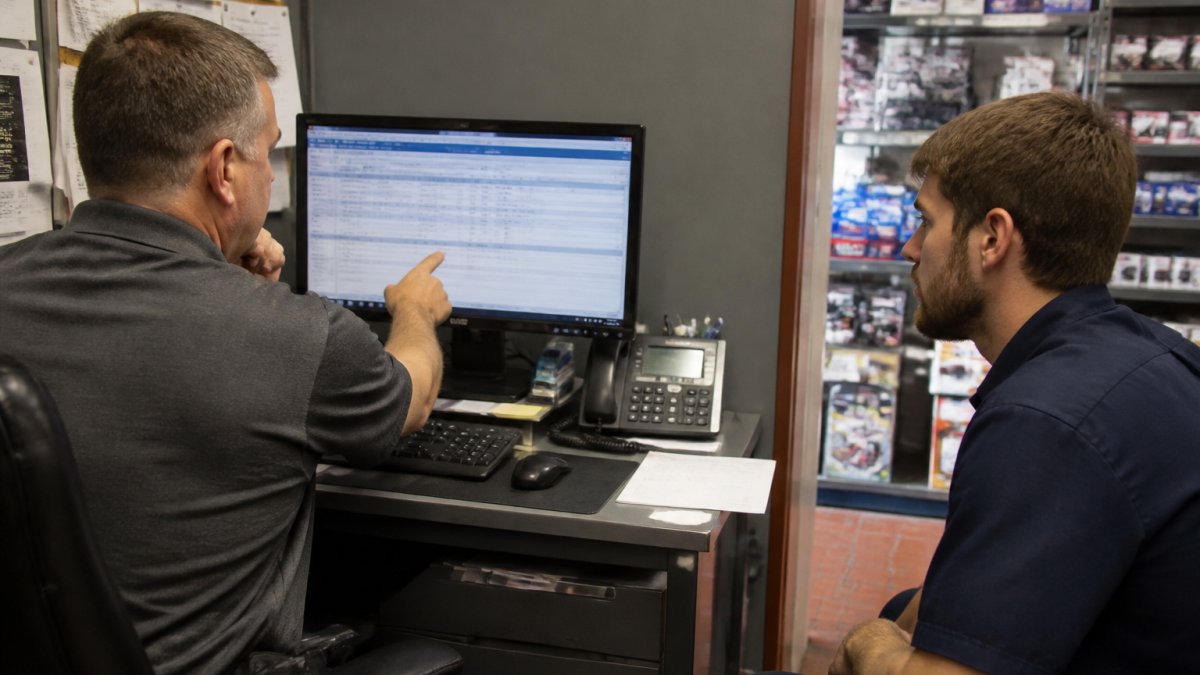
Look for tools covering network monitoring, server health, and endpoint status in one view.
Pair monitoring with a maintenance platform. Fiix notes that moving from paper or spreadsheets to a digital platform makes it easier to track, record, analyze, and plan maintenance activities, per Fiix on reducing downtime with maintenance tech.
If you are weighing an ERP upgrade alongside monitoring, our overview of automotive aftermarket ERP system benefits covers inventory accuracy and supply chain visibility.
Write an IT Incident Response Checklist Before You Need It
An IT incident response checklist is a one-page document telling staff exactly what to do in the first ten minutes of an outage. Without owners, timing, and escalation triggers it is just a list. This version is built for a service department.
The First Ten Minutes: A Sequenced Checklist With Owners
Assign a name to every step. The counter lead owns steps 1-3, the store manager owns step 4, and the IT liaison owns steps 5-7. Print the checklist and tape it inside the counter cabinet.
- Confirm the scope (counter lead, 0-2 minutes). Is it one terminal, one store, or all locations? Check whether the parts inventory lookup, the repair order screen, and the payment terminal are all affected or just one.
- Switch affected counters to the manual backup process (counter lead, 2-5 minutes). Pull the paper repair order template and the manual parts pull sheet. Write tickets by hand and flag every parts inventory transaction for later entry. Do not stop writing repair orders.
- Call the vendor escalation line listed on the dependency map (counter lead, 5-7 minutes). Have the vendor ticket number, the symptom in plain language, and the start time ready. If the vendor cannot confirm a fix window within 15 minutes, escalate to the secondary contact on the dependency map.
- Log the start time and the symptom (store manager, 7-8 minutes). Record the exact time, the affected systems, and the customer-facing impact. This log becomes the basis for the post-incident review and any service-level credit claim.
- Notify the store manager and, if needed, the affected customer (store manager, 8-10 minutes). Use the customer communication script from the business continuity plan. Tell waiting customers the expected delay, not the technical cause.
- Restore service and record the recovery time (IT liaison, ongoing). Note the time service returns and which systems came back first. If parts inventory is still reconciling, keep the manual pull sheet active until the counts match.
- Hold a short review within two days (store manager, 48 hours). Answer three questions: what failed first, how long did detection take, and which step in this checklist slowed recovery? Update the checklist and the dependency map before the next shift.
Do not skip step 2 while waiting for IT.
Escalation Triggers That Force a Decision
- 15 minutes without a vendor fix window: escalate to the secondary vendor contact and notify the store manager.
- 30 minutes with more than one store affected: declare a formal outage, activate the business continuity plan, and switch all affected counters to manual processing.
- Any sign of data loss or unauthorized access: stop, disconnect the affected system from the network, and follow the cybersecurity response steps in your continuity plan before attempting restoration.
Service-Lane Specifics Competitors Miss
Add these rows:
- Service scheduling: can the advisor still book appointments and check bay availability on paper?
- Dispatch: can the dispatcher reach technicians without the routing screen?
- Work orders: is there a paper work order that matches the digital fields so nothing is lost on re-entry?
Our article on automotive aftermarket POS system downtime risks walks through the failure points specific to the point of sale, and the dependency map section above gives you the vendor contacts this checklist depends on. Maintaining operational continuity during system transitions requires a proactive strategy for avoiding business downtime while migrating critical infrastructure to more stable environments.
Build a Business Continuity Plan for IT Outages in the Service Lane
A business continuity plan for IT outages answers one question: how do we keep writing tickets and selling parts while the system is down? Our guide to cloud POS benefits for auto shops explains how cloud-based systems reduce outage exposure. Keep it short, specific, and measurable.
The Core Plan: What Must Keep Running
- A paper repair order template and a manual parts pull sheet. The repair order template should mirror the digital fields so re-entry is fast. The manual parts pull sheet should capture part number, quantity, bin location, and repair order number so parts inventory stays reconcilable.
- A list of which tasks can wait and which cannot. Writing repair orders, pulling parts, and updating waiting customers cannot wait. Month-end reports and non-urgent purchase orders can.
- Backup power for the counter and the network closet. Test the battery runtime at least twice a year and label every outlet that stays live.
Service-Lane Workflows the Plan Must Address
A service department needs these workflows spelled out:
- Service scheduling: a paper appointment log with bay assignments and promised times.
- Dispatch: a whiteboard or printed dispatch sheet that shows which technician is on which job.
- Work orders: a numbered paper work order that matches the digital sequence so nothing is written twice.
Vendor Coordination and Dependency Mapping
Your continuity plan is only as good as the vendor contacts behind it. For every system on your dependency map, record primary and secondary escalation contacts, contracted response time, and whether the vendor has a status page. A common pattern is discovering mid-outage that the escalation number belongs to a former account manager. Review vendor contacts quarterly and after any personnel change.
Ask each vendor for their own business continuity and failover documentation before you sign or renew. If they cannot describe how they handle a regional network outage, your plan inherits that risk.
Measurable Recovery Targets
- Time to declare an outage: within 15 minutes of confirmed multi-terminal failure.
- Time to switch to manual processing: within 30 minutes of declaration.
- Parts inventory reconciliation: completed within one business day of system restoration.
- Customer update cadence: every 30 minutes for waiting customers during an active outage.
Cost-Effective Resilience for Small and Mid-Sized Departments
- First: monitoring and alerting, because detection is the cheapest way to shorten outages.
- Second: backup connectivity, such as a secondary internet line or a mobile hotspot at the counter.
- Third: backup power for the counter and network closet.
- Fourth: redundant servers or cloud failover for the parts inventory and repair order systems.
Measure Outage Impact With Service KPIs, Not Gut Feel
Track recovery time and mean time to repair alongside your service metrics.
Build a simple monthly scorecard:
| Metric | What It Tells You | Target Direction |
|---|---|---|
| Outage count per store | Frequency of operational disruption | Down |
| Mean time to repair | How fast the team recovers | Down |
| Recovery time per incident | Total service lost | Down |
| Tickets delayed by outages | Business impact on the lane | Down |
| Service availability | Uptime across all locations | Up |
Schedule a Demo to Stress-Test Your Outage Plan
A structured demo lets you ask questions about uptime, failover, and support response.
Before you book, read what to evaluate in an automotive parts store software demo so you walk in with the right questions.
Blue Sage Software has over 35 years of experience in the automotive aftermarket and offers flexible on-premise or cloud-based configurations.
Blue Sage Software provides ERP, POS, and parts inventory management for the automotive aftermarket, with real-time delivery tracking, invoice management, and flexible on-premise or cloud-based configurations.
Frequently Asked Questions
What are the most common causes of service department system downtime?
Start by mapping which failures would stop work in the bays, then address the weakest link first.
How should a service department prepare for an IT outage?
Preparation starts with a written business continuity plan for IT outages that names who does what when a system fails. Include a printed contact list for your IT provider and software vendor, a manual process for writing up repair orders, and a clear rule for when to switch to paper. The FTC recommends treating outages as an opportunity to assess systems and resilience, so review the plan after every incident. Test the plan during a slow period so staff practice the manual workflow before a real failure forces them into it.
What should staff do when service department software goes down?
Follow the IT incident response checklist: report the outage to one designated person, confirm whether it is local or company-wide, and switch to manual repair orders and parts tickets if the outage exceeds your threshold. Write down every transaction by hand so nothing is lost when systems return. Keep parts inventory counts accurate by recording pulls on paper and reconciling them before the next shift. Blue Sage Software customers such as Childersburg Truck Service report dependable performance, but every department still needs a fallback process for the rare event.
How can a business reduce downtime in its inventory management system?
Reducing downtime in inventory management comes down to four habits: monitor the system continuously, apply software and hardware updates on a schedule, keep tested backups with a documented recovery time, and maintain redundancy for critical components like network connections and power. Fiix notes that moving from paper or spreadsheets to a digital platform makes it easier to track, record, analyze, and plan maintenance activities, which supports predictive maintenance. For multi-store parts operations, centralize visibility so one store’s outage does not silently drain inventory accuracy across the chain.
