
Table of Contents
- The Real Cost of POS System Downtime in Automotive Parts Sales
- Common Causes of System Failure in Auto Parts Stores
- Why Every Shop Needs a POS System Disaster Recovery Plan
- Using a Retail POS Downtime Cost Calculator
- Cloud vs On-Premise POS for Auto Parts: Which Reduces Risk?
- Preventative Maintenance and Vendor SLA Negotiation
- Frequently Asked Questions
Last Updated: September 13, 2026
The Real Cost of POS System Downtime in Automotive Parts Sales
An automotive aftermarket POS system downtime risk is the exposure every parts counter carries when its point-of-sale software, hardware, or network stops processing transactions mid-shift. At Blue Sage Software, we’ve watched multi-store operators treat that exposure as an IT problem when it’s really a cash-flow problem.
When the counter goes dark, you lose more than the sale in front of you: the labor you already paid for, the customer who drove across town for a water pump, and years of built trust.
Revenue Leakage and Lost Labor Hours
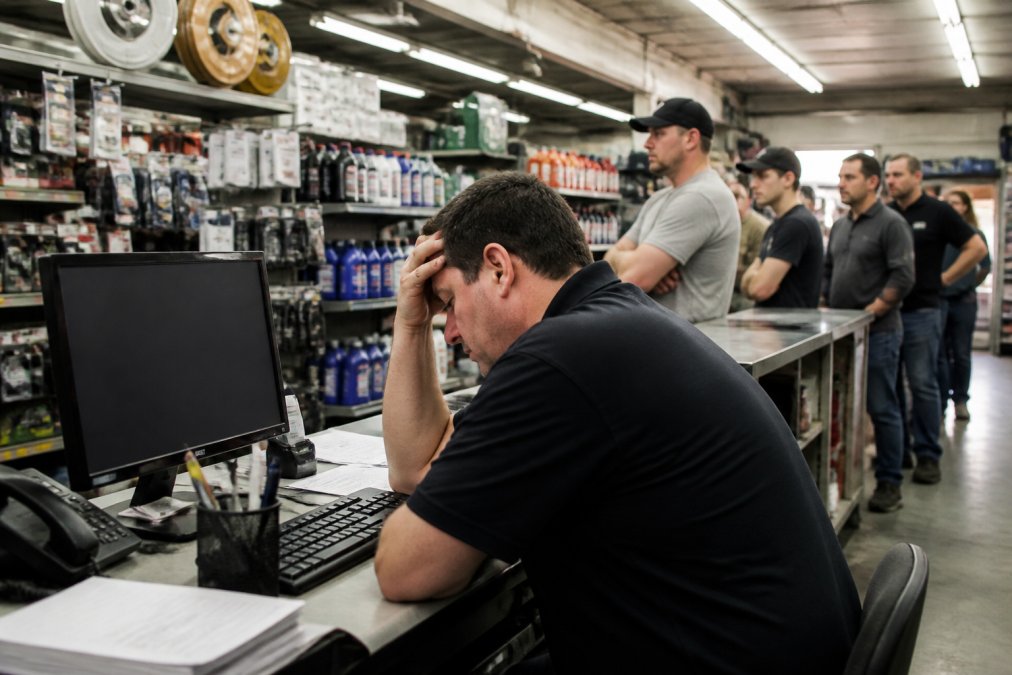
Every minute of downtime bleeds two ways: revenue leakage when transactions can’t be authorized, and labor costs while staff write paper tickets and reconcile them later.
A common mistake is measuring only the lost ticket (nist.gov). The real number includes the counterperson’s idle time, the delivery driver waiting on a route manifest that won’t print, and the office clerk re-keying every order the next morning, none of which shows up on a single sales report.
If you can’t quantify downtime in dollars, you’ll never get budget to prevent it. Track every outage, even a five-minute PIN pad failure, and log the labor hours lost alongside the sales.
::: Consistent documentation of these disruptions highlights the underlying infrastructure weaknesses that necessitate a proactive approach to preventing electrical downtime.
Common Causes of System Failure in Auto Parts Stores
System failure in an auto parts environment rarely comes from one dramatic event, usually it’s small weaknesses accumulating until they line up on your busiest Saturday.
The most frequent culprits:
- Hardware malfunction: aging PIN pads, failing receipt printers, worn barcode scanners, and disk drives that have run past their service life
- Network instability: dropped Wi-Fi at the counter, overloaded switches, and internet circuits with no backup connectivity
- Software glitches: unpatched POS versions, database corruption, and integrations that break silently
- System integration failures: catalog lookups that time out when the fitment database can’t reach the host
Hardware Malfunctions and Network Instability
Hardware fails on a predictable curve: a PIN pad swiped thousands of times a week will eventually stop reading cards, and it will do it during a rush (nist.gov).
Network problems are harder to spot because they’re intermittent: latency creeps up, a lookup hangs, then the terminal freezes. What most guides miss is that a stable network matters more than a fast one, a consistent 20 Mbps circuit beats a flaky 200 Mbps connection at the parts counter.
Run a root cause analysis on every outage, even the small ones. After a few months you’ll see a pattern, and the pattern tells you where to spend your maintenance budget.
Why Every Shop Needs a POS System Disaster Recovery Plan
A POS system disaster recovery plan is a documented set of steps that tells your team how to keep selling and restore full operations after a failure. Without one, recovery depends on whoever is at the counter, usually someone juggling a parts lookup, a will-call pickup, and a technician waiting on a brake caliper.
Why Automotive Recovery Planning Is Different From Generic Retail
Most POS downtime guides target a single-register retail store where only the checkout line stops. An aftermarket parts counter is different: when the POS goes down, four workflows stall at once:
- Parts counter transactions: quotes, cores, special orders, and account billing all freeze
- Service bay scheduling: the shop management side can’t see parts availability, so bays sit empty while techs wait on a confirmation
- Technician parts pulls: a tech who needs a specific fitment can’t get an allocation without a working inventory lookup
- Delivery routing: will-call and route manifests stop printing, so drivers idle
That means your RTO isn’t one number but a set per workflow: a counter transaction might tolerate fifteen minutes, a service bay already sold to a customer might tolerate five, and a back-office report can wait until tomorrow.
How to Calculate Your Recovery Time Objective
RTO is the maximum time a workflow can be down before the damage becomes unacceptable. Set it by working backward from the customer promise.
A simple formula most shop owners can run in a spreadsheet:
RTO = (Customer Tolerance Window) − (Manual Workaround Setup Time)
If a commercial account expects a quote within ten minutes and switching to a paper ticket and printed price list takes four, your RTO for that workflow is six minutes. Anything longer breaks the promise.
Run that math for each workflow and you get a tiered plan instead of a single vague target:
| Workflow | Typical Tolerance | Manual Workaround Setup | Practical RTO |
|---|---|---|---|
| Counter sale (cash/card) | 10 min | 3-5 min (paper ticket, offline terminal) | 5-7 min |
| Commercial account quote | 15 min | 5 min (printed price list, phone confirmation) | 10 min |
| Service bay parts pull | 5 min | 2 min (walk to shelf, manual log) | 3 min |
| Delivery route manifest | 30 min | 10 min (handwritten route sheet) | 20 min |
| Back-office reporting | Next business day | None required | 24 hours |
Those numbers are illustrative, your tolerances depend on your customer mix and commercial account volume. The point is to assign a real number to each workflow so your failover design has a target.
Designing Failover Protocols Around Your RTO
Once you know your RTOs, the failover design writes itself. The tiers that matter most:
- Offline-mode terminal at the counter: queues transactions locally and syncs when connectivity returns. This is the highest-value failover for a parts counter because it preserves the transaction itself, not just the record of it.
- Secondary internet circuit: a LTE or 5G backup router that fails over automatically. Test it monthly and log the failover time, an untested backup is a rumor, not a plan.
- Printed fallback packet: current price lists, account terms, and a paper ticket template kept at each station. Update it whenever pricing changes.
- Defined reconciliation step: who re-keys the paper tickets, when, and how you verify nothing was double-billed. This is the step most shops skip, and where the real losses hide.
A disaster recovery plan that lives in a binder nobody has opened is not a plan. Run a tabletop drill once a quarter, unplug the counter terminal during a slow hour and walk the team through the failover. The first drill always exposes a gap.
The Automotive-Specific Continuity Question
Every multi-store aftermarket operator should answer this: if the POS is down for an hour, can a technician still pull a part, can a commercial account still get a quote, and can a delivery still go out? If any answer is no, your RTO for that workflow is effectively zero, and no back-office recovery planning will cover it.
Using a Retail POS Downtime Cost Calculator
A retail POS downtime cost calculator is a simple formula that turns outage minutes into a dollar figure for your leadership team. No software needed, just four inputs.
Here’s the formula we recommend:
Downtime Cost = (Revenue per Hour × Outage Hours) + (Labor Rate × Staff Idle Hours) + (Recovery Labor Hours × Labor Rate)
To make it concrete, picture a store doing $1,200 in hourly revenue with two counterpeople at $22 per hour and a two-hour outage:
- Lost revenue: $1,200 × 2 = $2,400
- Idle labor: $22 × 2 people × 2 hours = $88
- Recovery labor: $22 × 3 hours re-keying = $66
- Total: $2,554
Run that across a year of small outages and the figure usually surprises owners, and justifies preventative maintenance and a real disaster recovery plan.
Cloud vs On-Premise POS for Auto Parts: Which Reduces Risk?
Cloud vs on-premise POS for auto parts is not either-or. Each architecture shifts where your risk lives rather than eliminating it, and for an aftermarket operation, the deciding factor is how each behaves when the internet drops mid-transaction.
Where Each Architecture Puts Your Risk
A cloud-based POS moves the server burden to your vendor: automatic patch management, real-time monitoring, and geographic redundancy you could never afford to build yourself (nist.gov). The trade-off is dependence on internet connectivity, so backup connectivity is non-negotiable.
On-premise infrastructure keeps data local and the counter running when the internet drops, but you own the hardware lifecycle, backups, and security patches, and technical debt builds quietly in closets full of aging servers.
For an auto parts counter, the risk profile looks like this:
| Failure Mode | Cloud POS | On-Premise POS |
|---|---|---|
| Internet outage | Counter stops unless offline mode is configured | Counter keeps running on local server |
| Vendor outage | Counter stops; you wait on the vendor | Counter keeps running |
| Server hardware failure | Vendor handles it | You handle it, often same-day |
| Patch/security gap | Vendor pushes patches | You schedule and test them |
| Fitment database availability | Depends on vendor uptime | Local copy can serve lookups |
The Offline-Mode Question Nobody Answers
The single most important configuration decision for an automotive POS is whether offline mode is actually turned on and tested. Most cloud POS platforms ship with offline capability, but it’s rarely enabled by default and almost never configured for parts counter workflows.
What to verify before committing to a cloud deployment:
- Does offline mode cover the full transaction, or just the payment? Some systems capture a card payment offline but can’t complete a parts lookup, so the sale still stalls.
- How long can it run offline? Ask for the documented limit. Some platforms queue transactions for hours; others cap it at a short window before locking the terminal.
- What syncs when connectivity returns? Inventory decrements, account balances, and core charges all need to reconcile. If the system only syncs the sale total, your inventory counts drift.
- Does the fitment database work offline? A local cache of your most-pulled part numbers is the difference between a counter that keeps moving and one that stops cold.
Ask your vendor to demonstrate offline mode during the sales process, not describe it. Have them pull the network cable and complete a full parts sale, including a fitment lookup and a core charge. If they can’t, you’ve found your answer.
A Hybrid Pattern That Works for Multi-Store Operators
Many multi-store automotive operators run a hybrid: cloud at the counter for patch management and reporting, with an on-premise fallback server or locally cached database for the back office and fitment lookups. The counter keeps selling during an internet outage because the local cache serves the lookup, while the cloud handles heavy lifting when connectivity is healthy.
The trade-off is complexity: two systems to maintain, two backup routines, and a clear rule about which system is the source of truth when they disagree after a reconnect. That rule must be written down, not assumed.
How to Decide
The decision comes down to three questions:
- How reliable is your internet circuit, and do you have a tested backup? If not, cloud-only is a bet you haven’t priced.
- How much of your revenue depends on fitment lookups during a transaction? The higher that share, the more you need offline lookup capability.
- Do you have the staff to own an on-premise server? If not, the maintenance burden is a real risk, not a theoretical one.
The right choice depends on your tolerance for connectivity risk versus maintenance burden. For most aftermarket operations, the answer is not cloud or on-premise, it’s cloud with a verified offline mode and a tested backup circuit, or on-premise with a disciplined patch and backup routine. Either way, the configuration matters more than the label.
Preventative Maintenance and Vendor SLA Negotiation
Preventative maintenance and a strong service level agreement are the two levers that actually reduce downtime risk over time. Both cost money up front and pay for themselves in avoided outages.
On the maintenance side, put these on a schedule:
- Replace PIN pads and scanners on a fixed cycle, not when they fail
- Test backup connectivity monthly and document the failover time
- Apply POS patches during off-hours with a rollback plan
- Audit the fitment database and integrations quarterly
- Review transaction latency trends for early warning signs
On the vendor side, a service level agreement is only as good as its terms. Push for a defined uptime commitment, a response-time guarantee, and a clear remedy if the vendor misses it. Ask what happens during your busiest hours, not just on average.
This is where dependability claims get tested. As one service partner put it, “First, the system works… the system is dependable. We don’t experience downtime.” That’s the standard to hold every vendor to, and the standard Blue Sage Software builds its deployment options around, whether you run on-premise or in the cloud.
Downtime is the silent tax on every automotive aftermarket operation, and it compounds the longer you ignore it. Blue Sage Software has spent over 35 years helping multi-store parts businesses reduce that exposure with specialized ERP, POS, and inventory management built for the aftermarket. From flexible on-premise or cloud-based deployment to real-time delivery tracking and dependable system performance, we give you the technology to keep the counter running. Schedule a demo with Blue Sage Software and see what minimal downtime looks like for your stores.
Frequently Asked Questions
How does POS system downtime impact automotive parts sales?
Downtime halts transaction processing, meaning you cannot process payment authorizations or look up parts. This leads to immediate revenue leakage as customers go to competitors. It also increases labor costs because staff must manually process sales or manage frustrated customers. For auto parts stores, where speed is critical, even a short outage can cause significant customer churn and damage your reputation for reliability.
What are the primary causes of system failure in retail?
The most common causes are hardware malfunctions like PIN pad failures, software glitches from unpatched systems, and network instability. Outdated software and technical debt also contribute significantly. In auto parts environments, integration issues between POS, inventory management, and eCommerce systems can cause data integrity problems and transaction latency, leading to system failure.
How can cloud-based POS systems reduce downtime risks?
Cloud-based POS systems reduce downtime by moving infrastructure to redundant, professionally managed data centers. This provides automatic failover protocols and backup connectivity that most on-premise setups lack. Cloud systems also receive automatic patch management and real-time monitoring, fixing software glitches before they cause outages. This makes them a strong choice for multi-store auto parts operations needing high availability.
What is the average cost of retail POS downtime per hour?
The cost varies significantly by business size and the specific circumstances of the outage. For an auto parts store, this includes lost sales, labor costs for idle staff, and potential customer churn. To get a specific estimate for your operation, use a retail POS downtime cost calculator that factors in your average transaction value and hourly sales volume.