

Last Updated: October 29, 2026
Quick Summary
Cloud ERP gives multi-location auto parts stores one shared database instead of separate local systems, so every location sees the same real-time inventory, sales, and purchasing data. That centralized visibility stops duplicate stock, enables inter-branch transfers and consolidated purchasing, and lets you add new stores within your existing subscription rather than buying new hardware.
- A single inventory ledger lets counter staff initiate inter-branch transfers in a few clicks, updating quantities at both locations in real time.
- Consolidated purchasing aggregates demand across locations into one PO with volume pricing, cutting freight costs and duplicate orders.
- Location-level permissions give store managers full access to their own stock while restricting changes to other stores’ inventory.
- Set reorder points per location based on local demand history rather than chain-wide averages.
- Adding a location means adding users and configuring the new site within the existing subscription, with no capital outlay.
Table of Contents
- Why Multi-Location Auto Parts Operations Outgrow On-Premise Systems
- Benefit 1: Real-Time Data Visibility Across Every Store
- Benefit 2: Multi-Location Automotive Inventory Management That Stops Duplicate Stock
- Benefit 3: Lower Upfront Costs and Predictable Subscription Spend
- Benefit 4: Scalability Without Rebuilding Your Infrastructure
- How Automotive ERP Software Automates Invoicing, Ordering, and Reporting
- ERP Integration for Automotive Businesses: POS, Accounting, and Delivery Routing
- Schedule a Demo and Map Your Rollout
- Frequently Asked Questions
Why Multi-Location Auto Parts Operations Outgrow On-Premise Systems
Cloud-based ERP is enterprise resource planning software hosted on remote servers and accessed through a browser, which lets every store in a chain work from one shared database instead of separate local systems. For multi-location automotive businesses, that shift changes the math on everything from inventory accuracy to invoice processing. Operators in the automotive aftermarket often find that the software that ran one store well starts to strain as more locations are added.
The trouble isn’t that on-premise systems break. They just stop scaling with you. Each location runs its own server, its own backups, and its own version of the truth. Ask a simple question like “how many of this part do we have across all stores?” and someone has to reconcile spreadsheets by hand.
Cloud ERP solves that by centralizing data, automating business processes, and giving every location remote access to the same real-time numbers. Below, we’ll walk through seven benefits, from inventory control to lower upfront costs, and show where each one hits hardest in an automotive operation.
Benefit 1: Real-Time Data Visibility Across Every Store
The first thing multi-store operators notice after moving to cloud ERP is that the daily reconciliation ritual disappears. Sales orders, purchase orders, and stock levels update in one place the moment a transaction posts, so a counter person at one store can see what the store across town has on the shelf before promising a customer a part.
That visibility feeds better decision-making. Instead of waiting for month-end reports, managers watch inventory tracking and sales activity as it happens. Data accuracy improves because there’s one record, not five copies of it. A guide to automotive aftermarket ERP system benefits breaks down how inventory accuracy and supply chain visibility connect in practice, and it’s worth reading if you’re mapping out what centralized data would change for your stores.
Watch out: the most common mistake here is migrating to the cloud but leaving old spreadsheets in place for “just in case” tracking. That recreates the duplicate data problem you paid to eliminate.
Benefit 2: Multi-Location Automotive Inventory Management That Stops Duplicate Stock
Duplicate stock is the silent profit killer in a parts chain. Store A orders a slow-moving part it already has two of at Store B, because nobody could see across locations. Multiply that across hundreds of SKUs and several stores and you’re tying up cash in inventory you didn’t need to buy.
Cloud ERP fixes this with a single inventory ledger shared across every location. But the real value emerges in the workflows that ledger enables. Consider inter-branch transfers: when a counter person at Store A needs a part that Store B has in stock, the system can initiate a transfer order with a few clicks, updating available quantities at both locations in real time. The part arrives without a special order, the customer gets same-day service, and carrying costs drop because you’re not duplicating safety stock at every branch.
Consolidated purchasing is another multi-location workflow that cloud ERP transforms. Instead of each store cutting its own purchase orders with suppliers, the system aggregates demand across locations and generates a single PO with volume pricing. You negotiate better terms, reduce freight costs, and eliminate the scenario where three stores each order the same part from the same supplier on the same day.
Location-level permissions add governance without sacrificing visibility. You can give a store manager full access to their location’s inventory while restricting their ability to view or modify other stores’ stock. Corporate users see everything. This balance between centralized control and local autonomy is what makes multi-location inventory management work in practice, too much centralization slows down local decisions, too little creates the duplicate-stock problem you’re trying to solve. For a practical walkthrough of syncing and balancing stock between locations, see how to manage multi-store automotive inventory.
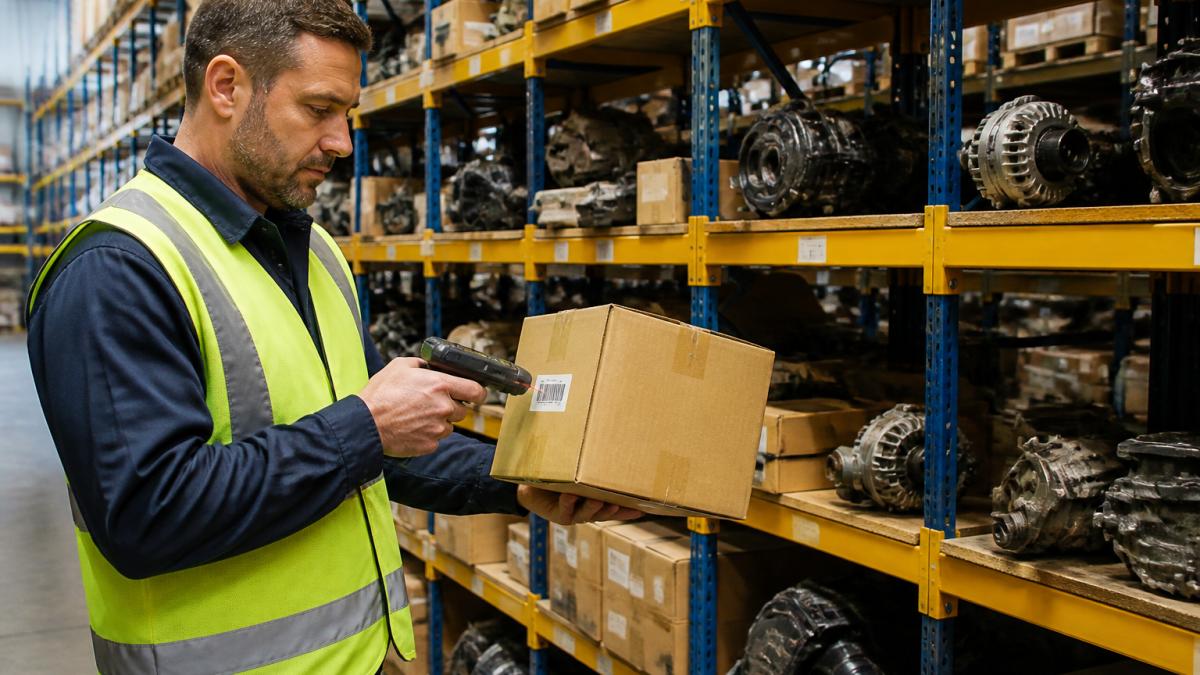
The parts inventory side of this matters most for aftermarket operators, where a single misfiled SKU can mean a special order, a delayed repair, and a frustrated shop customer. Cloud ERP also supports cycle counting by location, so you can verify stock accuracy at each store without shutting down operations for a full physical inventory.
Set reorder points per location based on local demand history, not chain-wide averages. A part that sells steadily at one store may be a slow mover at another, and cloud ERP lets you tune those thresholds independently while still seeing the consolidated picture.
Benefit 3: Lower Upfront Costs and Predictable Subscription Spend
On-premise ERP front-loads the pain: server hardware, licensing, installation, and the IT staff to keep it all running. Cloud ERP shifts that to a subscription model, which turns a large capital expense into a predictable monthly cost. But for multi-location operators, the real story is total cost of ownership, and how costs change as you add stores.
Pricing for cloud ERP depends on the number of users, locations, and modules you need, and implementation scope varies with the number of sites and the systems involved.
Where cloud ERP really changes the math is in scaling. Adding a new location to an on-premise system means new hardware, new licenses, and often new IT support. With cloud ERP, you add users and configure the new location within the existing subscription, no capital outlay. The marginal cost per location drops as you grow, which is why operators planning to expand from a handful of stores to many find cloud deployment attractive.
The subscription price is only part of the total cost of ownership. Factor in implementation, integration, training, and ongoing support when comparing cloud ERP options. A lower monthly subscription can be offset by higher integration costs or more expensive support tiers.
Pricing for cloud ERP depends on the number of users, locations, and modules you need, so we’d rather point you to current figures than guess. Ask for a quote based on your store count and the modules you’ll actually use, and ask specifically how the price changes when you add a location. That question reveals whether the vendor’s model truly scales with your growth or just repackages the same on-premise economics in a subscription wrapper.
Benefit 4: Scalability Without Rebuilding Your Infrastructure
Adding a store doesn’t have to mean standing up a new server and re-keying data; with a centralized platform, a new location can draw on the same shared data as the rest of the chain.
A common mistake is assuming scalability is automatic. It isn’t. You still need to plan user roles, location hierarchy, and reporting structure before the new store goes live. This guide to selecting scalable automotive management software covers ERP features, integration, and migration for multi-store growth.
How Automotive ERP Software Automates Invoicing, Ordering, and Reporting
Automotive ERP software automates the paperwork that eats hours in a parts operation: generating invoices, matching purchase orders to receipts, and compiling reports that used to take a bookkeeper a full day. Invoicing moves from manual entry to automatic generation, with accounts payable and accounts receivable reconciled against the same transaction records. For a deeper look at this workflow, read about how to automate invoice management for auto parts stores.
The reporting and analytics side is where operators feel the difference fastest. Sales by store, margin by category, and inventory turns become a dashboard rather than a project.
ERP Integration for Automotive Businesses: POS, Accounting, and Delivery Routing
ERP integration for automotive businesses is the work of connecting the ERP to the point-of-sale system, the accounting software, and the delivery routing tools so data flows between them without manual re-entry. That integration is what turns a set of modules into a working operation.
Here’s how it typically breaks down:
| System | What Integrates | Why It Matters |
|---|---|---|
| Point of sale | Sales orders, returns, pricing | Counter sales post to inventory instantly |
| Accounting | Invoices, payables, receivables | Books reconcile without re-keying |
| Delivery routing | Dispatch, tracking, proof of delivery | Drivers get routes from live order data |
| Supplier management | Purchase orders, procurement | Reorder points trigger automatically |
Integrations are also where selection decisions get made. A cloud platform that plays nicely with your existing accounting and POS tools saves months of work; one that doesn’t will cost you in workarounds. As guidance on cloud ERP benefits and drawbacks notes, cloud ERP carries real trade-offs alongside its advantages, so it’s worth mapping your integration needs before you sign.
Schedule a Demo and Map Your Rollout
The real test of any cloud ERP is how it handles your stores, your parts, and your workflows. A demo should show you the system running against your actual scenarios, not a generic script.
Before you book one, know what you want to evaluate.
At Blue Sage Software, we’ve built ERP, POS, and inventory management for the automotive aftermarket for over 35 years, with flexible on-premise or cloud-based configurations and integrated delivery tracking, eCommerce, and invoice management. Our parts inventory management is built for multi-location operations, and one customer has described the system as dependable with no downtime.
Frequently Asked Questions
How does cloud ERP help manage multiple automotive locations?
Cloud ERP puts every store on one shared database, so purchase orders, sales orders, and stock counts update everywhere at once. A counter sale in one store immediately reduces the quantity the other stores see, which stops the same part being promised twice. Managers can compare store performance from a single dashboard instead of pulling separate reports. Blue Sage Software builds this for multi-store automotive operations, with cloud or on-premise deployment depending on how you want to run it.
Can cloud ERP provide real-time inventory visibility across locations?
Yes. Because the system runs on shared cloud infrastructure rather than a server in each store, every transaction posts to the same record. Inventory tracking stays current across all locations, and staff can see on-hand quantity, incoming purchase orders, and transfer status for any part at any branch. That visibility is what makes inter-store transfers practical: you can fill a customer order from a sister store instead of losing the sale or ordering duplicate stock.
What should automotive businesses look for in a cloud ERP system?
Start with fitment data coverage for the parts you actually stock, including specialty and obscure applications. Then check that the platform handles parts inventory management, POS, accounts payable, invoice processing, and delivery routing without bolting on separate systems. Ask about uptime history and support response times, and confirm the vendor can scale from your current store count to your expansion plan. Blue Sage Software has served the automotive aftermarket for over 35 years.
Is cloud ERP suitable for independent auto shops with multiple locations?
It often fits better than on-premise software for independents, because you avoid buying and maintaining servers at each site while still getting centralized data and standardized workflows. The trade-off is an ongoing subscription instead of a one-time license, so compare total cost of ownership over several years rather than the first invoice. Ask the vendor for references from operations close to your size before committing.
If your on-premise system is holding your stores back, don’t wait for the next server refresh to force the decision. Get started with Blue Sage Software and see how real-time visibility, centralized inventory, and automated invoicing work across every location you run.
